Knee recovery,
measured at home.
Guided knee checks on the patient’s own phone, nothing to install. The clinical team sees who needs attention, and why.
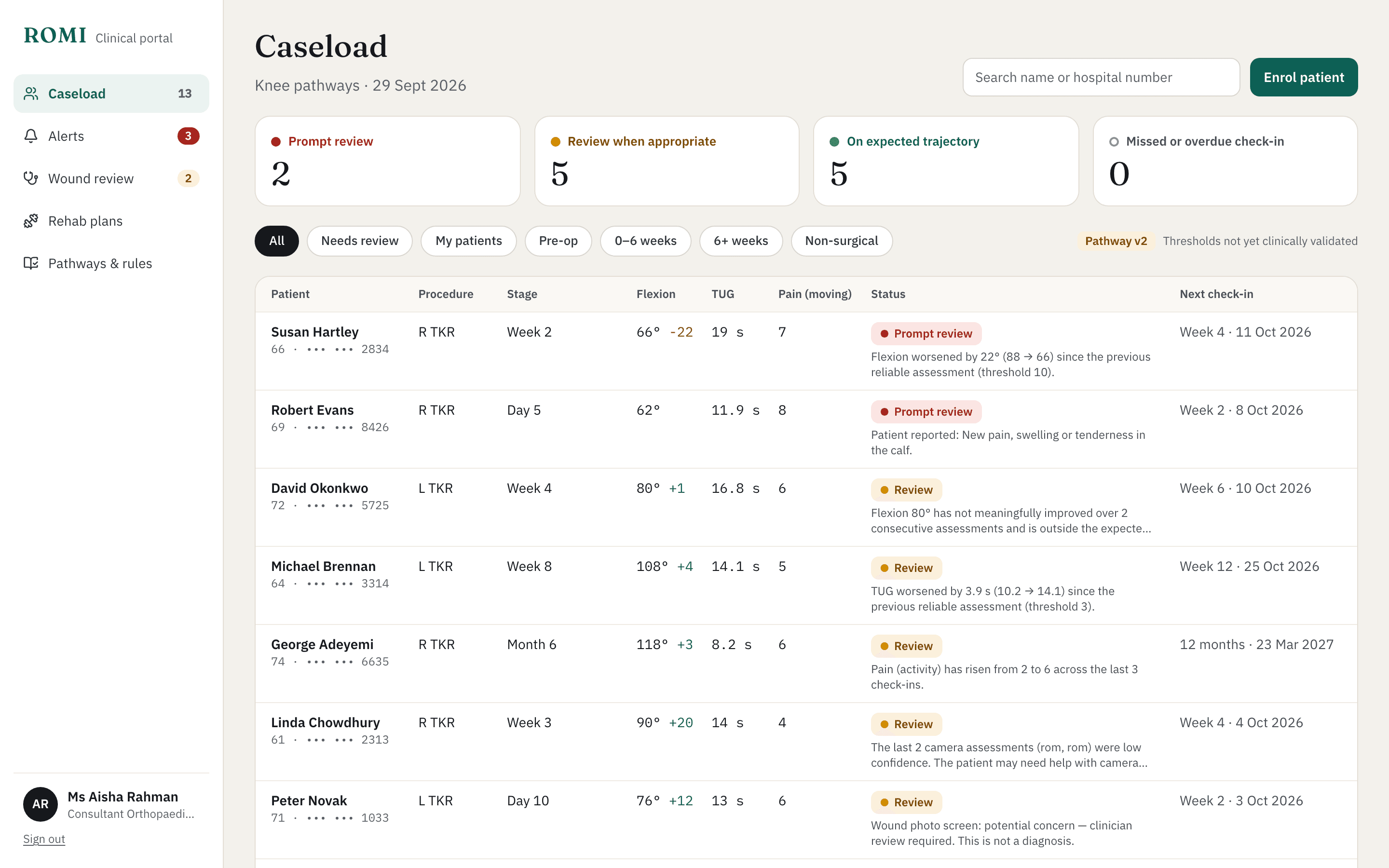
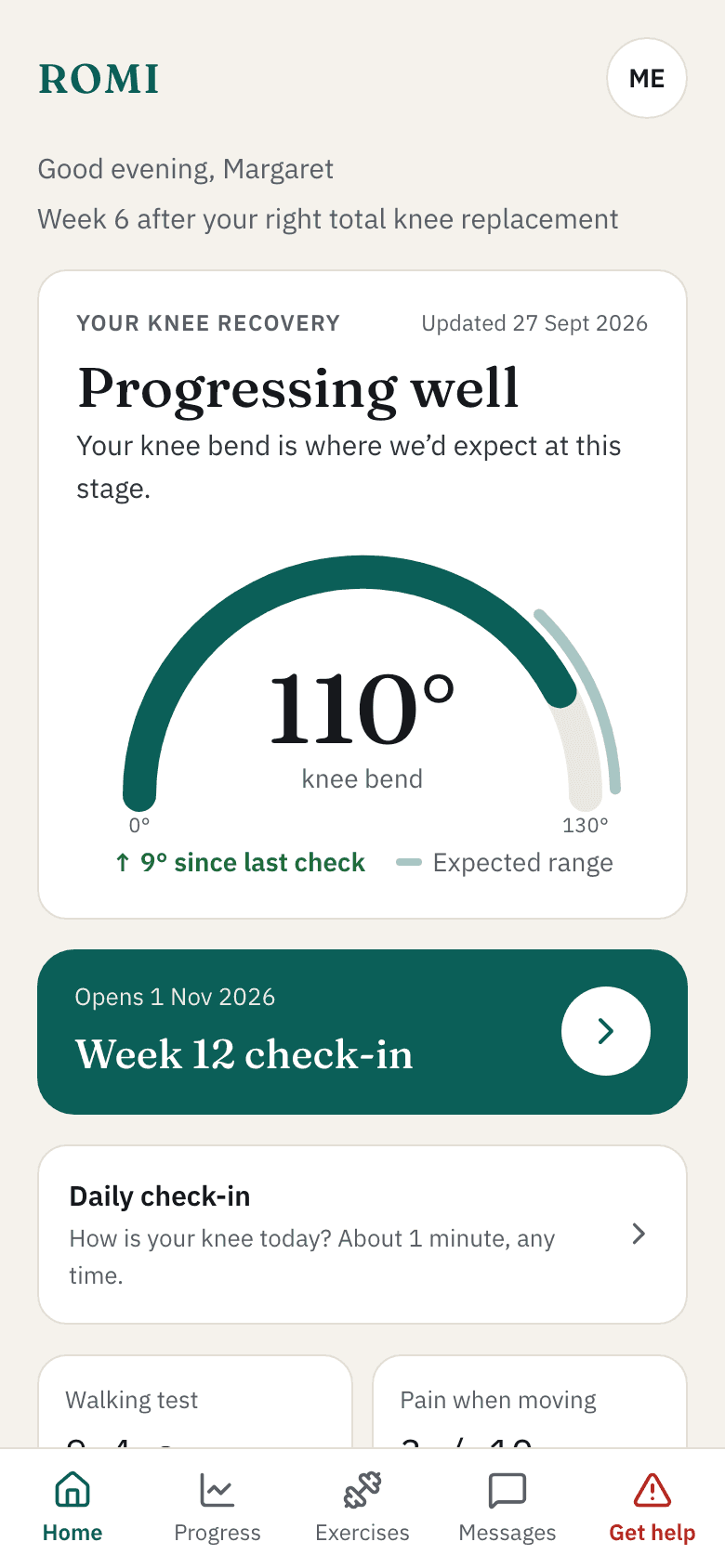
Recovery is continuous. Follow-up isn’t.
Weeks can pass between clinical reviews. ROMI fills that gap with regular, objective measurements, so a change is seen when it happens instead of at the next booked appointment.
One set of tools across knee care.
Pathways, check-in schedules and review thresholds are configured per service, so ROMI fits the care you already give.
Knee replacement
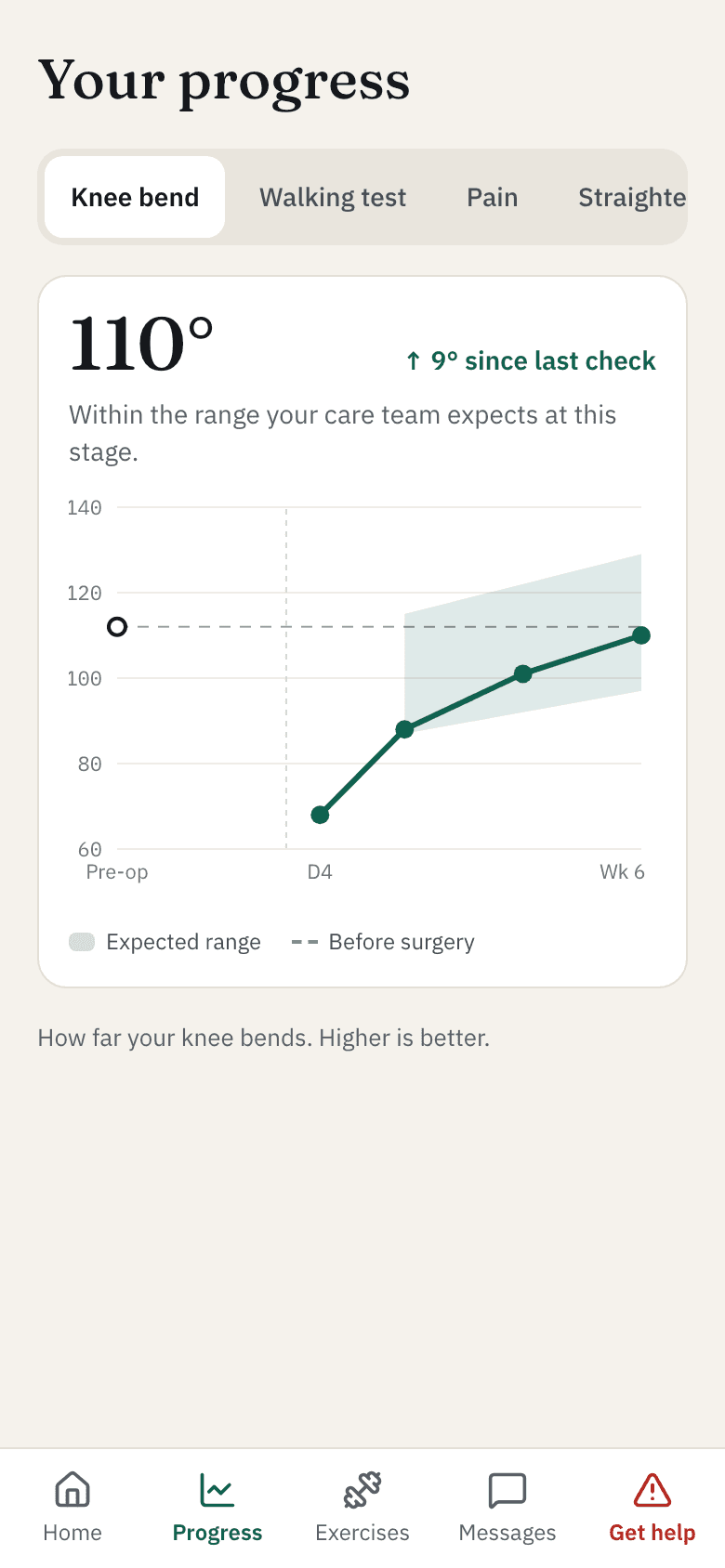
Baseline before surgery, then regular checks through recovery against an expected range.
Osteoarthritis
Follow function and pain over months during conservative management, not just at review.
Rehab after injury
See whether movement and strength are returning between physiotherapy sessions.
Physiotherapy programmes
Set exercises, see what patients actually log, and check the effect on their measures.
GP and MSK follow-up
A structured knee assessment and routing to the right service when something changes.
For patients
A few minutes at home. No kit, no clinic visit.
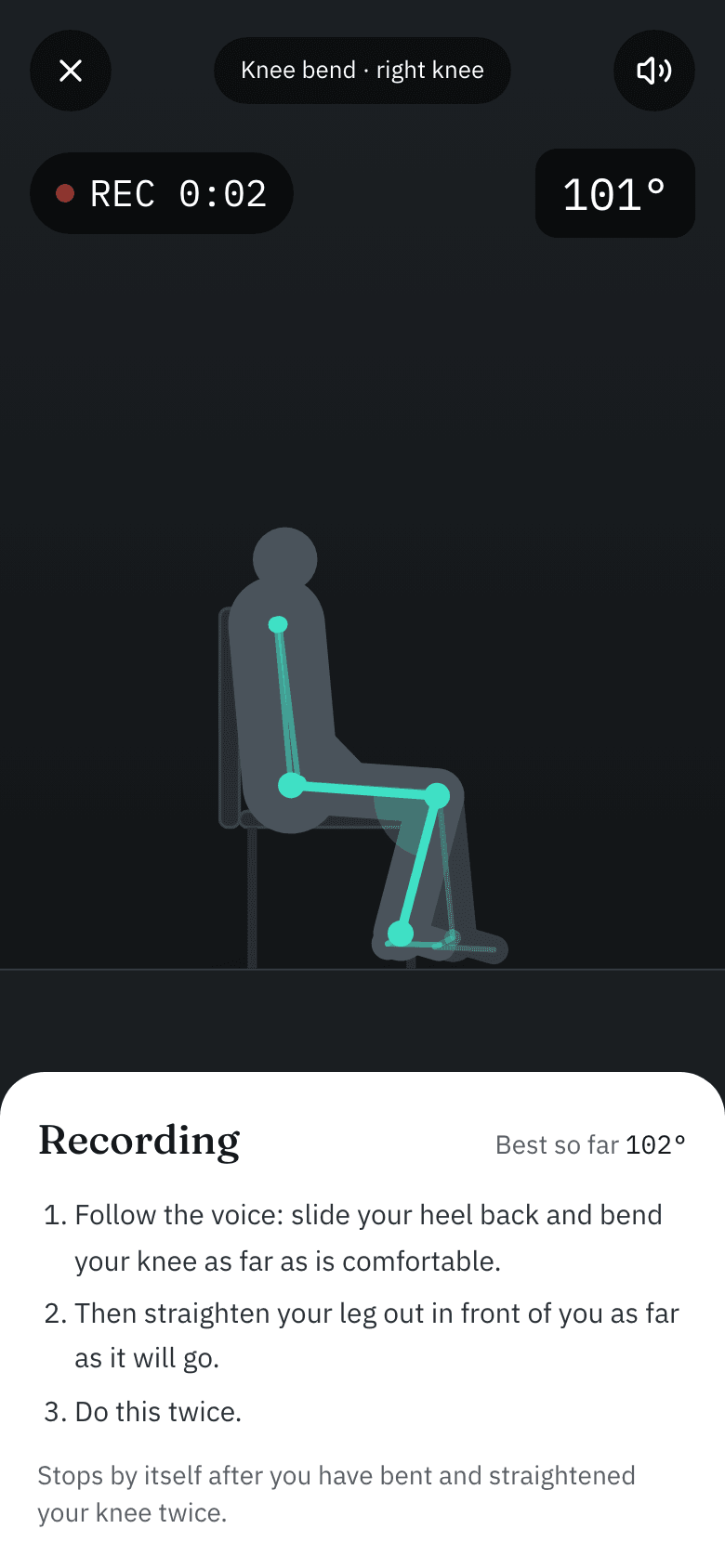
Prop the phone up and follow the guide. ROMI measures the movement and shows how the knee is getting on.
- Guided set-upClear guidance on distance, height and lighting for every check, with live feedback until the position is right.
- Hands-freeRecording starts when you are in place. A voice counts you through and stops when you are done.
- Daily check-inPain, daily activities and goals in a minute or two, alongside the camera results.
- Safety built inRed-flag symptoms get clear advice straight away, including when to call NHS 111 or 999, and the care team is alerted.
- MessagesAsk the care team a question, and see replies and plan changes in one place.
- Laptop to phoneStarted on a computer? Scan a QR code and carry on with the phone’s camera.
Standard knee tests. One phone.
Familiar clinical tests, guided on screen and measured from the camera, with a quality rating on every result. Unclear recordings are repeated, not guessed.
Knee bend
How far the knee bends and how close it gets to straight. Measured side-on while seated, bent and straightened twice, best value kept. Below, an example result as the patient sees it.
- Knee bend
- 104°
- Straightening gap
- 3.3°
- Repetitions
- 2
- Measurement quality
- Good
0-140degrees
Timed Up and Go
Stand, walk three metres, turn, walk back and sit, timed from the video.
3metres
Chair stands
How many times you can stand up from a chair in 30 seconds.
30seconds
Walking
Cadence, step evenness and how much the knee bends as you walk past the camera.
stepsper minute
Knee alignment
Knock-knee or bow-leg direction while standing and moving, from a front-on view.
L · Rboth knees
Questionnaires and symptom check
Pain scores, daily activities and personal goals, with standard scores such as the Oxford Knee Score or KOOS JR where your service holds a licence. A symptom check screens for red flags every time.
PROMs
Wound photos
After surgery, patients can send a photo of the wound. A quality check helps them take a usable picture, and a clinician looks at every one. The app never gives a diagnosis.
Photoreviewed by a clinician
Exercises set by the physio, logged by the patient.
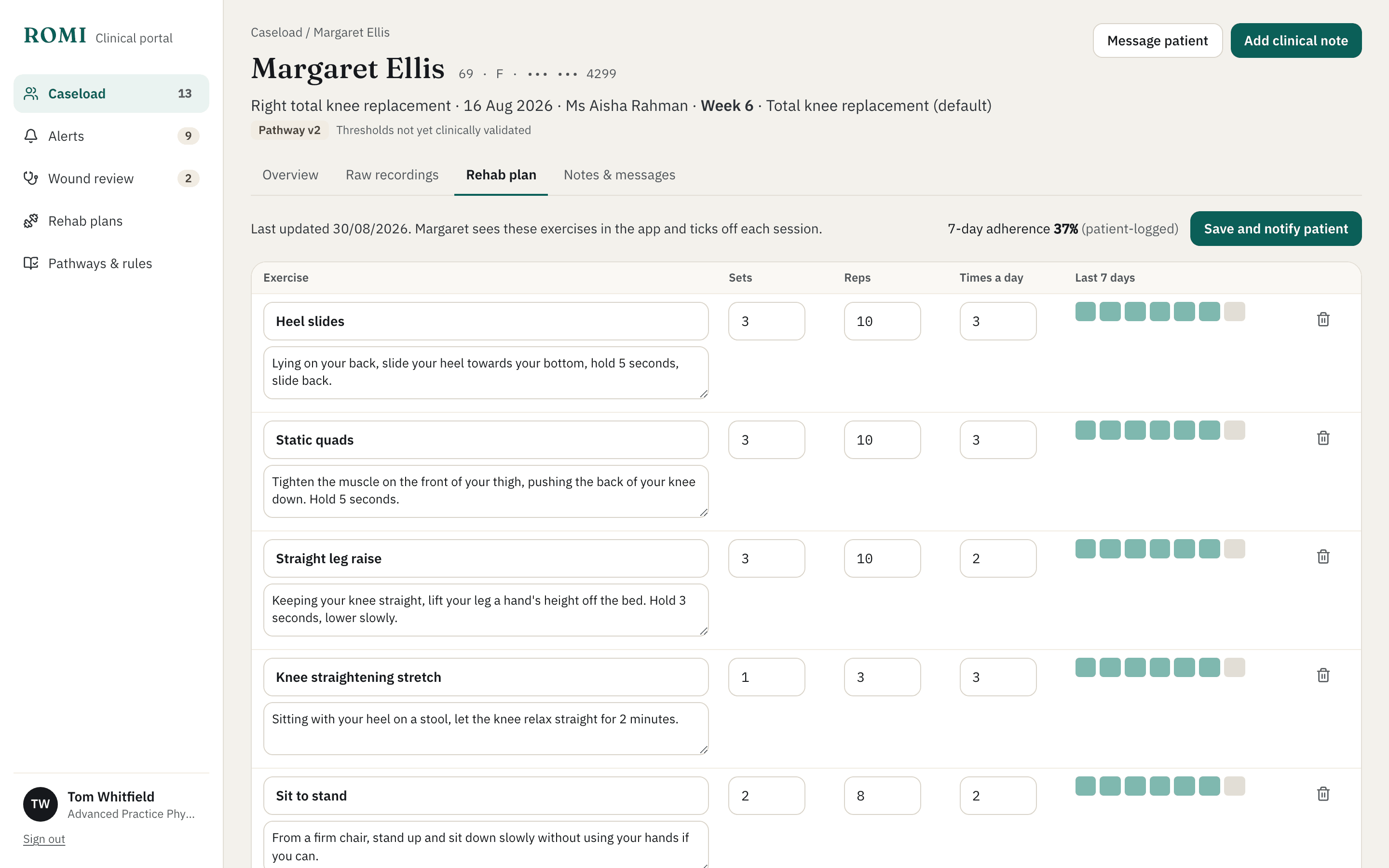
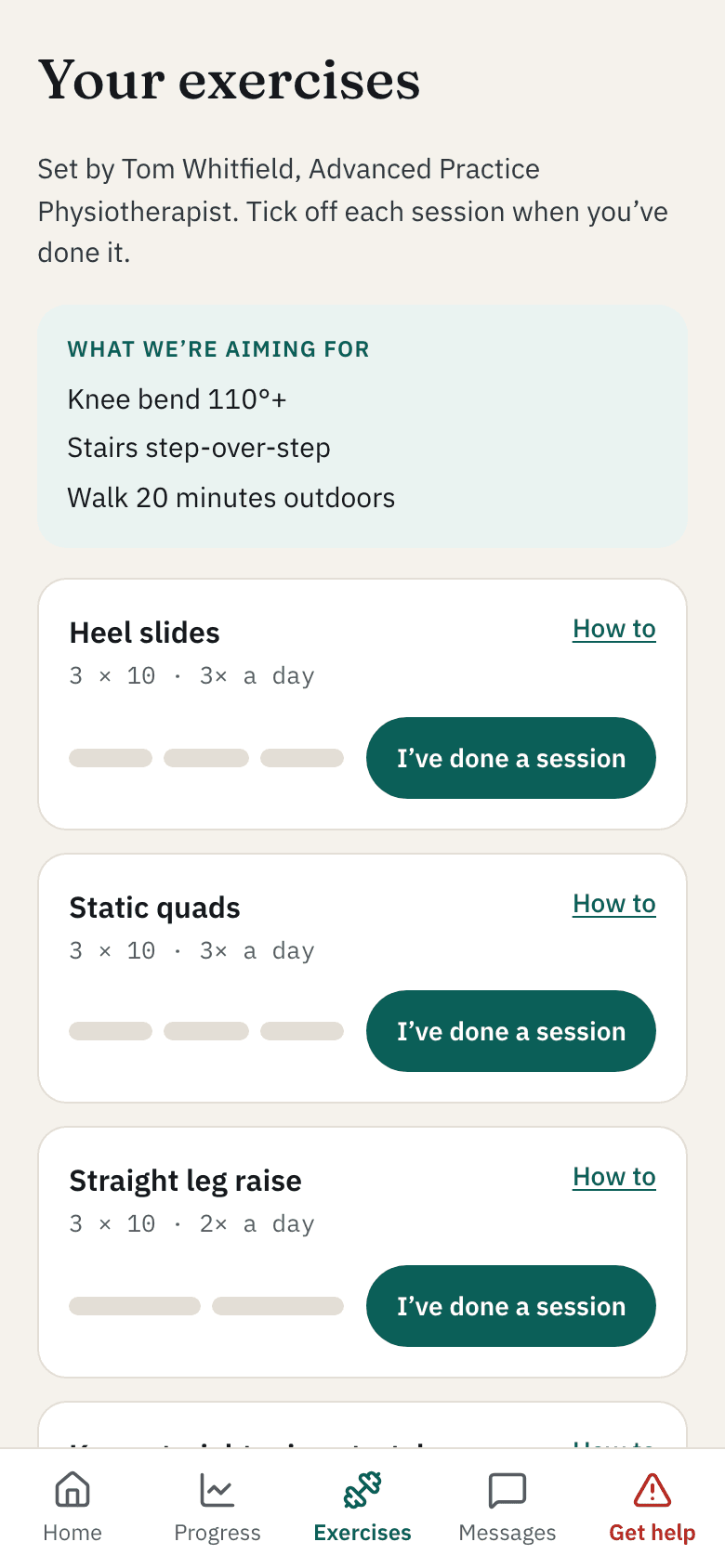
Physiotherapists choose the exercises, sets, repetitions and how often. Patients see the plan in the app with how-to guidance and tick off each session.
- Specific, editable plansAdd, change or remove exercises and save. The patient is notified of the new plan.
- Adherence you can seeSeven days of logged sessions per exercise, next to the knee measures they are meant to improve.
For clinical teams
See who needs attention, and why.
Each patient’s recovery as a trajectory against their own baseline and an expected range. Flags come with the evidence, not an opaque score.
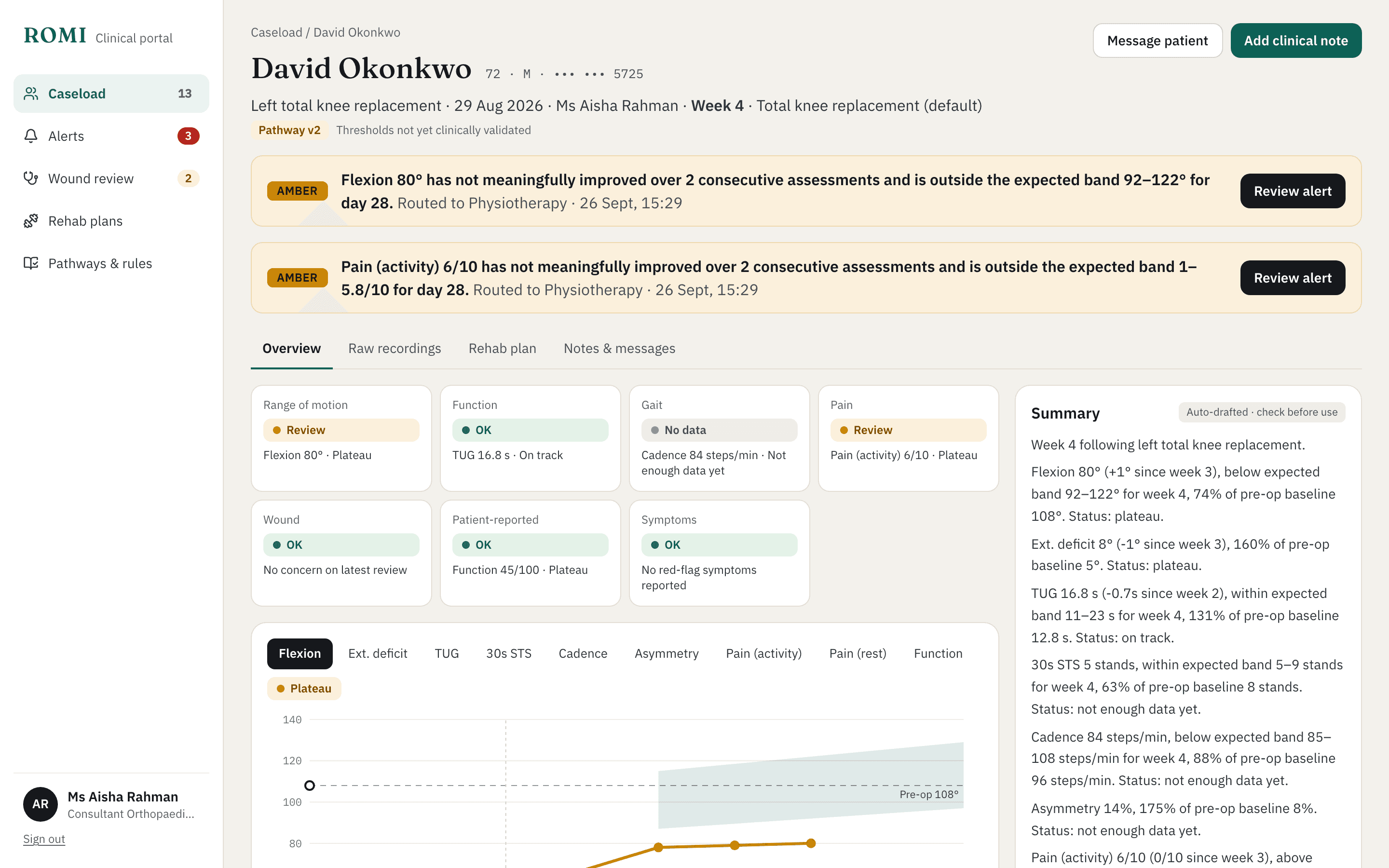
- Prioritised caseloadPatients needing prompt review rise to the top, then those to review when appropriate, so time goes where it is needed.
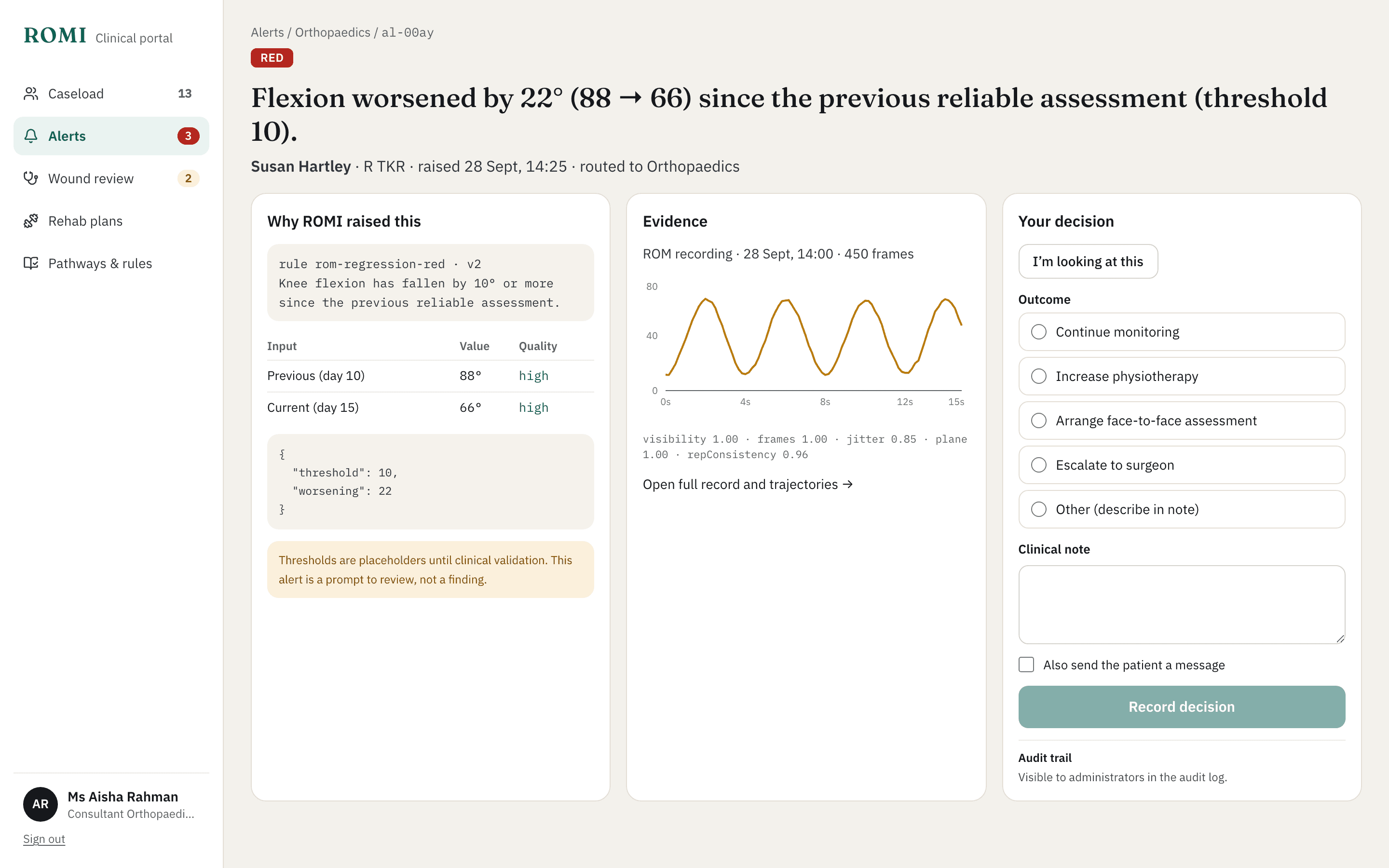
- Alerts with evidenceEvery flag shows the rule that raised it, the inputs and their quality, and the recording behind it.
- A person decidesClinicians record an outcome on each flag and can message the patient in the same step.
- Wound review queueWound photos wait in a queue until a clinician has looked at them and recorded an outcome.
- GP and MSK pathwayA structured knee assessment for primary care and first contact practitioners, with routing to the right service.
- Audit logSubmissions, reviews, decisions, clinical notes and messages are recorded with who did what and when.
Every flag shows its working.
Why it was raised, the values that triggered it, the raw movement signal and a place to record the decision. Thresholds are set per pathway and every alert is a prompt to review, not a finding.
From a phone at home to the right clinician.
Measure
Guided checks on the patient’s own phone. By default only joint positions leave the device, not video.
Track
Each result joins a personal trajectory, compared with the patient’s baseline and an expected range.
Flag
Plateaus, sudden changes, red-flag symptoms and repeated poor recordings are highlighted, with the evidence attached.
Decide
The right clinician reviews the flag and decides what happens next. Every decision is recorded.
Built around clinical judgement.
ROMI measures, tracks and flags. It never diagnoses, and it never hides the numbers behind a single score.
- A quality rating on every result
- Each value carries a confidence level. Low-quality recordings are flagged for a retake rather than trusted.
- Transparent rules
- Pathways, expected ranges and thresholds are visible to the team, versioned, and documented alongside the published evidence they draw on.
- Private by design
- Pose tracking runs on the phone, in the browser. Video is not uploaded unless a service chooses to switch that on.
Try the demo
Explore the patient app and the clinical portal with synthetic patients. Switch between a patient, a surgeon, a physiotherapist and a GP to see each side.
Scan to try it on your phone
Research
We are testing ROMI with adults having knee replacement surgery.
Talk to us about ROMI
We would like to hear from orthopaedic, physiotherapy, MSK and primary-care teams who follow people with knee problems between appointments.
hello@fuullabs.co.ukOther products from FUUL. Labs
- KBAN A live jobs board for the hospital ward.In development
- PassthePSA Prescribing Safety Assessment practice, marked like the real exam.Live, free
- Potio Potholes and street damage, spotted from a camera on the vehicles a council already runs.In development
- Fundr Any private deal, in any structure, run start to finish: loans, revenue share, equity, convertibles, warrants, transfers and hybrids of them all.Pre-pilot